Help & Support
Everything you need to know to manage your home with a smile
🔍
👤
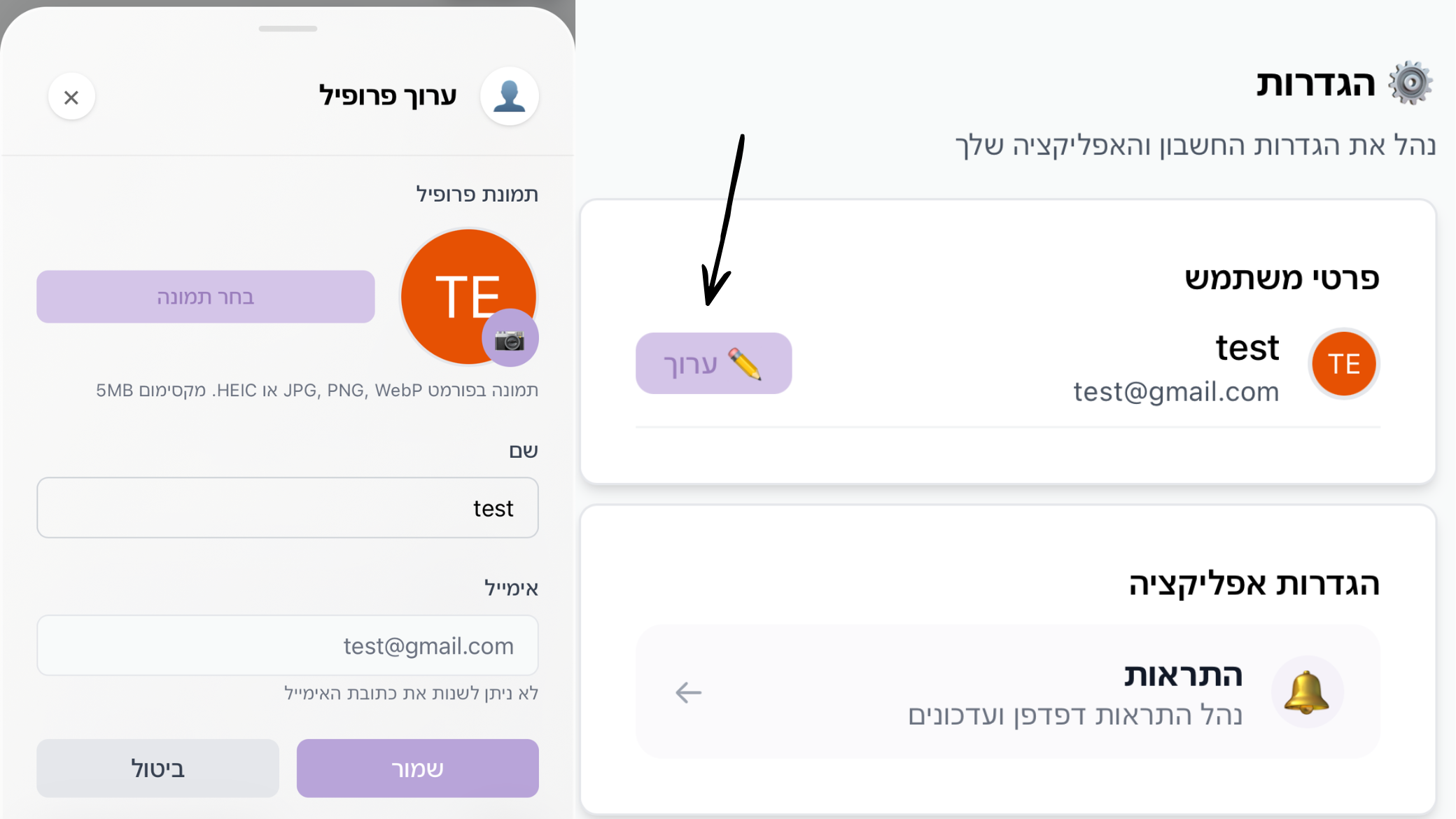
How to edit profile?
Update name, email and profile picture.
Step by Step
- 1Go to Settings.
- 2Click the "Edit" button next to user details.
- 3Change the desired details and click save.
📱
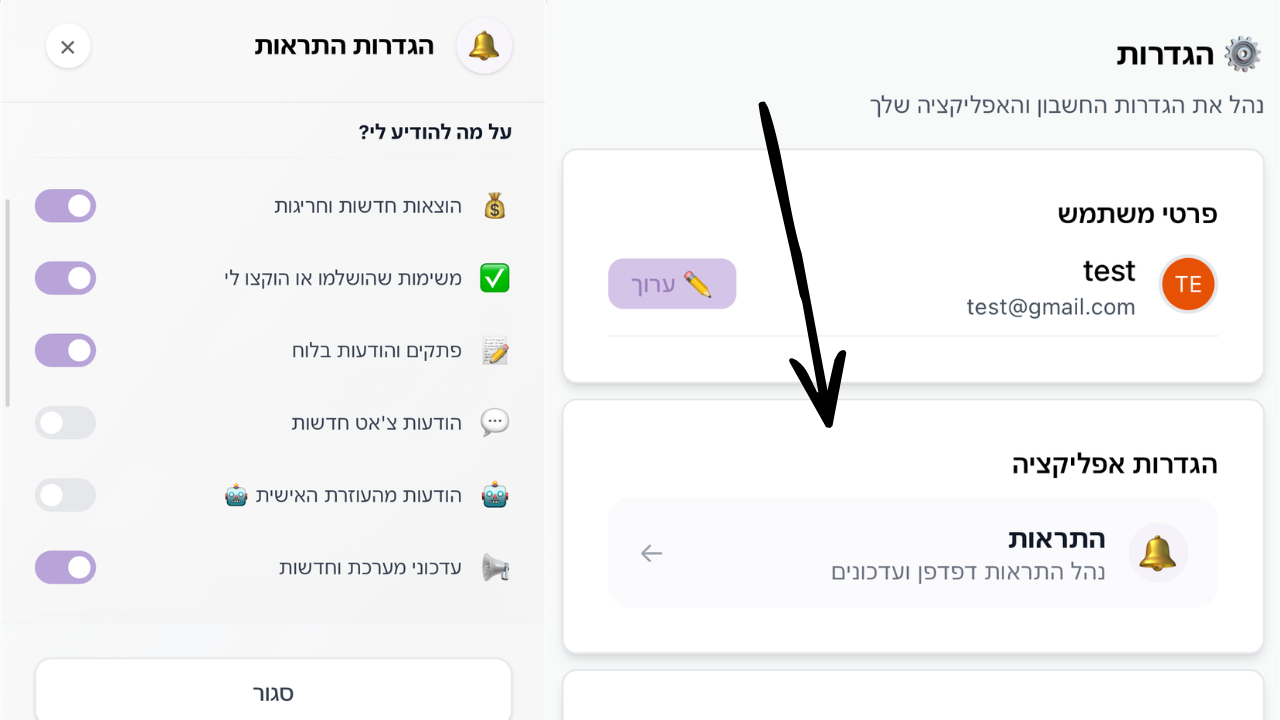
How to enable / disable notifications?
Manage real-time updates.
Step by Step
- 1Go to Settings -> Notifications.
- 2Click "Enable Browser Notifications".
- 3Approve the request in the browser.
⏰
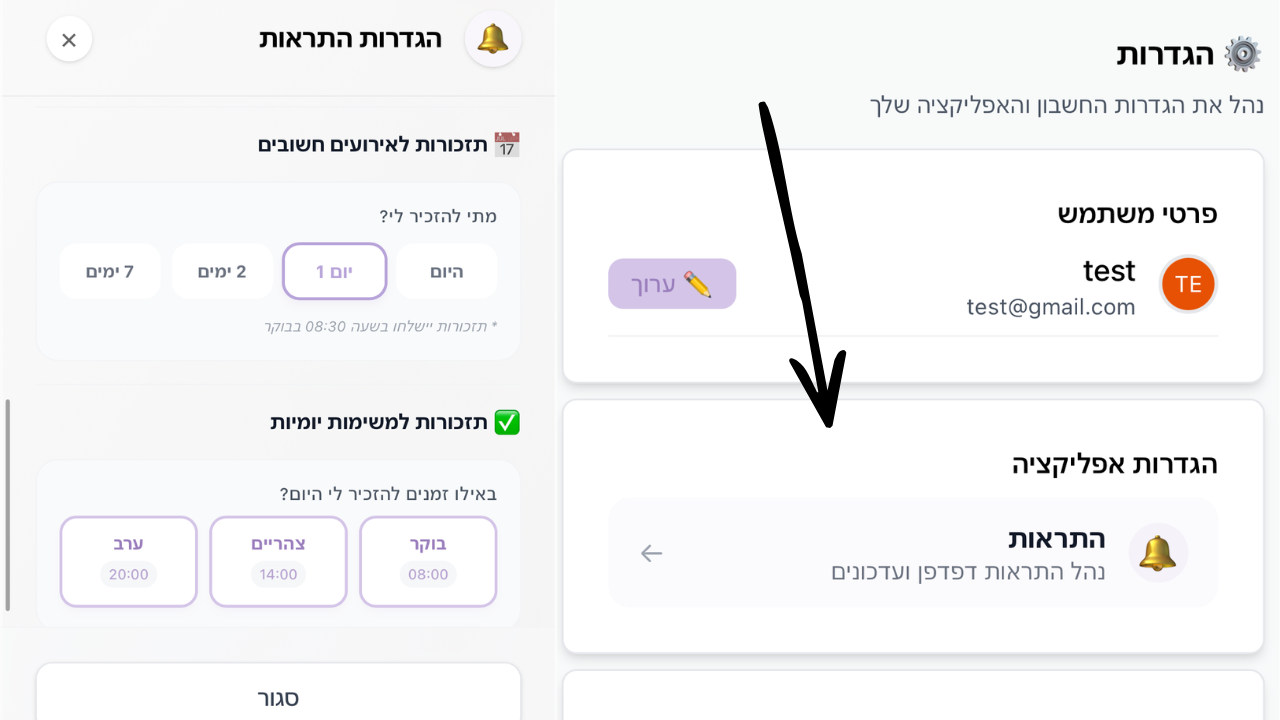
How to enable / disable task reminders?
Manage morning, noon or evening reminders.
Step by Step
- 1In notification settings, go to "Task Reminders".
- 2Choose your preferred times (morning, noon, evening).
🎁
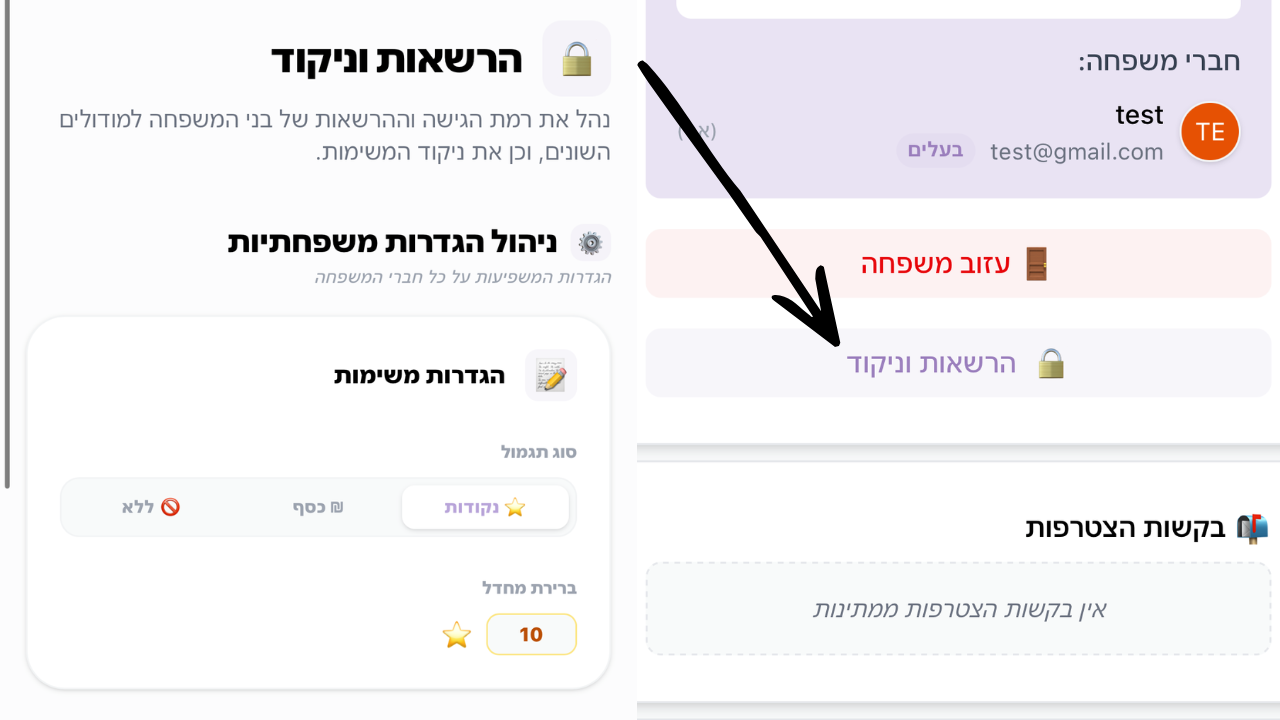
How to change reward type (money, stars, or none)?
Set the reward method for completing household tasks.
Step by Step
- 1Go to the "Permissions" page (via menu or settings).
- 2Look for "Global Family Settings" at the top of the page.
- 3Under "Reward Type", choose between: Stars (⭐), Money (₪) or None (🚫).
- 4You can also set a "Default Value" to be automatically attached to new tasks.
Still have questions?
We are here to make sure your Mishpuha experience is perfect